Oil burner lockout & error codes by control
Updated 18 Oct 2026
Quick answer
Oil burner error codes differ by control, so find yours first, by its label or by its look. The same flash pattern means different things on different controls, so read the table for your exact model.
No documented code matches that. Try the control model, or a word like "lockout", "recycle", or "flame".
Some links on this page are affiliate links: as an Amazon Associate this site earns from qualifying purchases, and it may earn from other retail partners, at no extra cost to you. Parts shown are general references, not specific endorsements. Match any part to your unit's make, model, and spec before buying.
Beckett GeniSys 7505 / 7505B
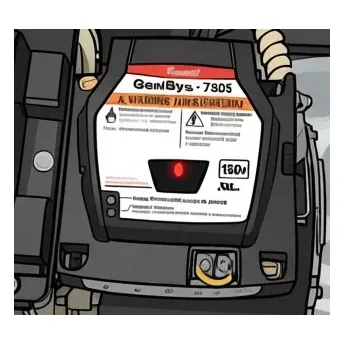
Three lights: a red light in the reset button, a green light and a yellow light. Read which light is on and whether it is steady or flashing. There is no blink count.
| Indication | What it means |
|---|---|
| Red light flashing | Soft lockout. The burner shut down on safety. The usual reasons are no flame during the trial for ignition, flame seen when there should be none, or flame lost while running. Press the reset button once, about one second. If it locks out again, stop and call. |
| Red light steady ON | Hard (restricted) lockout. The control locked out repeatedly, or failed its relay check, and stopped to keep unburned oil out of the chamber. A technician has to find the cause first. The reset is a 15 second hold of the button until the red light goes out and the yellow light comes on. |
| Green light flashing | Recycle. Flame was lost while the burner was running. The control waits about 60 seconds and tries again on its own. Repeated recycles end in lockout. |
| Green light steady ON | Flame sensed. This is the normal running light. If it is on while the burner is idle, the cad cell may be seeing stray light. |
| Yellow light steady ON | Pump prime mode, or the reset button has been held 15 seconds or more. Not a fault. The yellow light goes out when priming ends or the button is released. |
Source: R.W. Beckett GeniSys 7505 Installation & Operation Manual, Form 61649 (beckettcorp.com)
Replacement control: 7505A0000U Amazon ↗ Pro install Confirm the part-number suffix against the control on your burner. Often with: nozzle, pump strainer (in the tune-up kit), cad cell
Honeywell / Resideo R7184A / R7184B / R7184P / R7184U
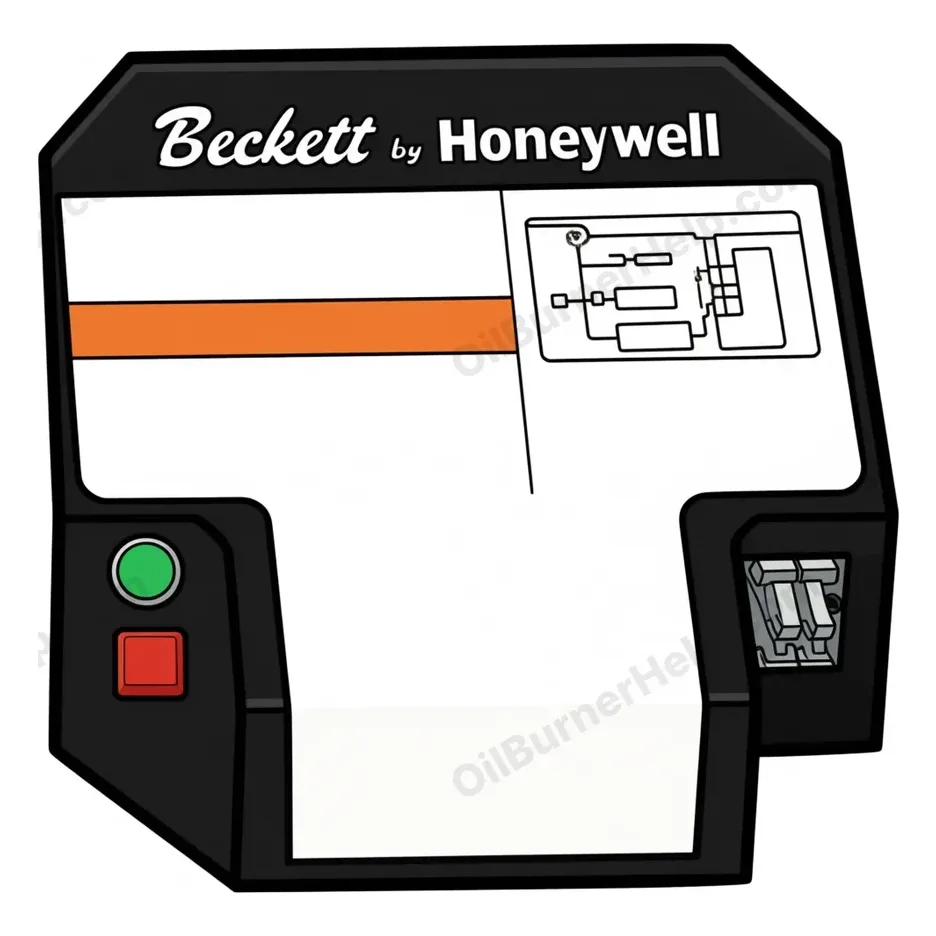
One light. Its flash rate tells you the state. A separate 1 to 4 flash count reads cad cell strength when you press and release the reset button during a run. Do not mix the two up.
| Indication | What it means |
|---|---|
| Light steady ON | The cad cell sees flame. Normal during a run. With the burner off and no call for heat, a steady light means the cad cell sees outside light, its wiring is shorted, or the cell or the control is bad. |
| Light OFF | The cad cell does not see flame. Normal when the burner is off. |
| Flashing fast, about once a second | Lockout, or restricted mode. Lockout follows a failed trial for ignition. Restricted mode follows three lockouts in a row and needs a 30 second reset hold. |
| Flashing slow, about once every 4 seconds | Recycle. Flame was lost while running. The control waits about 60 seconds and tries again. |
| 1 to 4 flashes after tapping reset during a run | Cad cell strength, not a fault. One flash is a strong signal (low resistance). Four flashes is a weak signal (high resistance). Clean, re-aim or replace the cad cell. |
Source: Honeywell/Resideo R7184 Installation Instructions 69-1233 and Technician's Quick Reference 69-1384 (resideo.com)
Replacement control: R7184U1004 Search Amazon ↗ Pro install Often with: nozzle, pump strainer (in the tune-up kit), cad cell
Honeywell / Resideo R8184 Protectorelay (older relay)
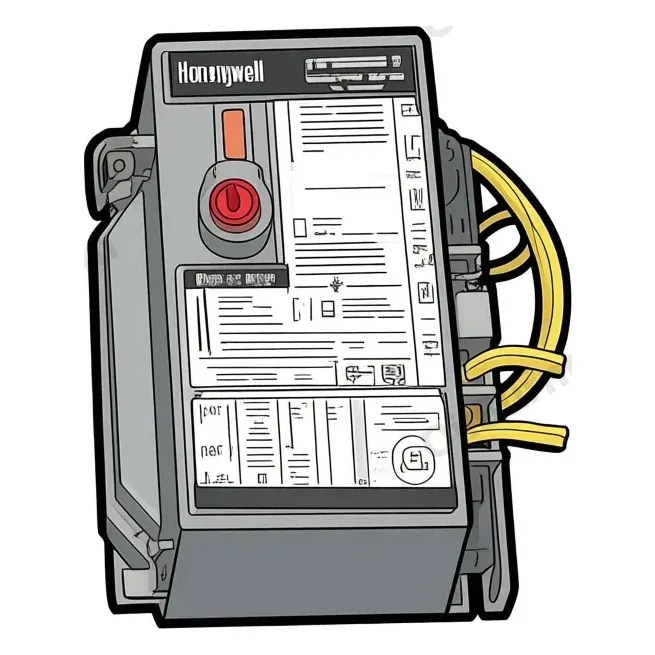
No flash codes. One lockout light comes on when the safety switch opens, and the reset button pops out.
| Indication | What it means |
|---|---|
| Lockout light on, reset button popped | The safety switch tripped on a failed ignition or on flame loss during a run. Press the reset once. There is no blink code to read. |
Source: Honeywell/Resideo R8184 Installation Instructions 69-0617 (resideo.com)
Replacement control: R8184G4009 Amazon ↗ Pro install Often with: nozzle, pump strainer (in the tune-up kit), cad cell
Carlin 60200 cad-cell primary
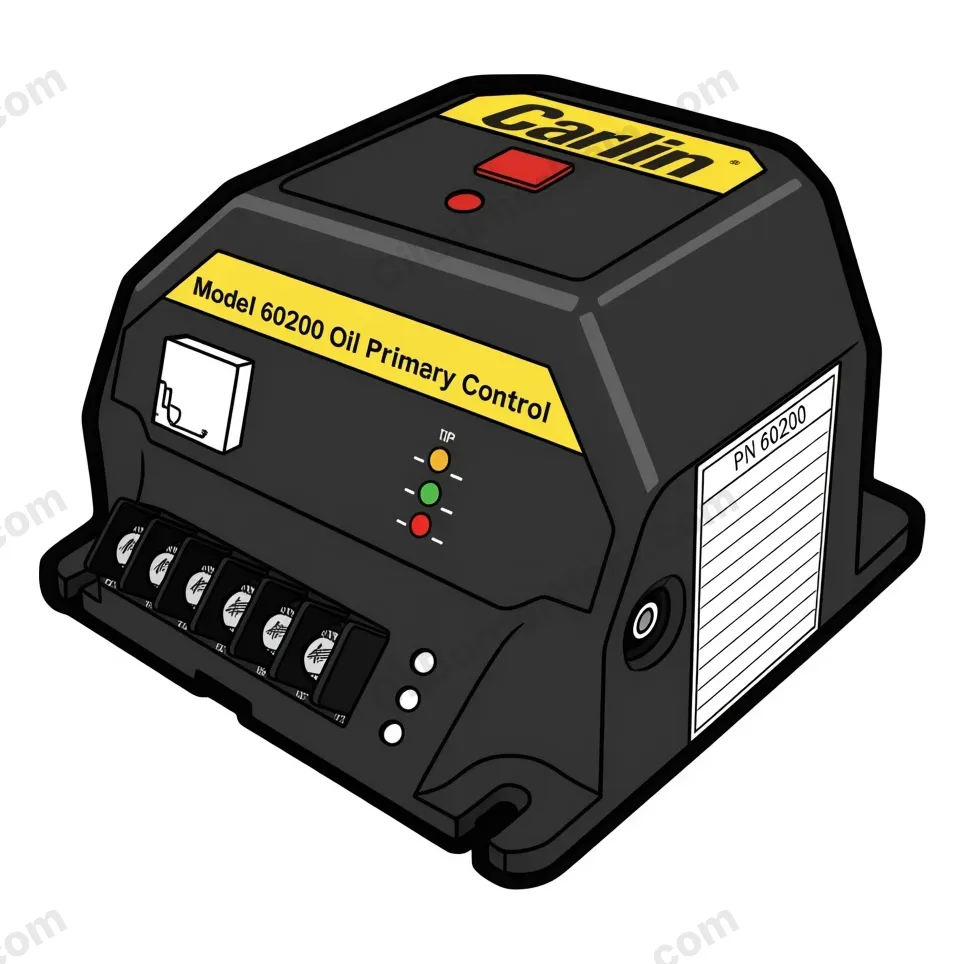
Three lights: green for flame, red for lockout, amber for status. Read which light is on and whether it is steady or flashing.
| Indication | What it means |
|---|---|
| Green LED ON | Flame present. Only the green light is on during a normal run. |
| Red LED steady ON | Lockout. The cad cell did not see flame within the trial for ignition. Hold the reset button 2 seconds, once. If it locks out again, stop and call. |
| Red LED flashing | Flame lost during the run. The burner shut down and waits about 65 seconds before it tries again. |
| Amber and red LEDs both ON | Latch-up after three lockouts in one call for heat. The burner has failed repeatedly. A technician finds the cause first, then does the longer reset. |
Source: Carlin Model 60200 manual MN60200H (carlincombustion.com)
Replacement control: 6020002S Amazon ↗ Pro install Confirm the part-number suffix against the control on your burner. Often with: nozzle, pump strainer (in the tune-up kit), cad cell
Beckett GeniSys 7565 / 7585 (advanced)
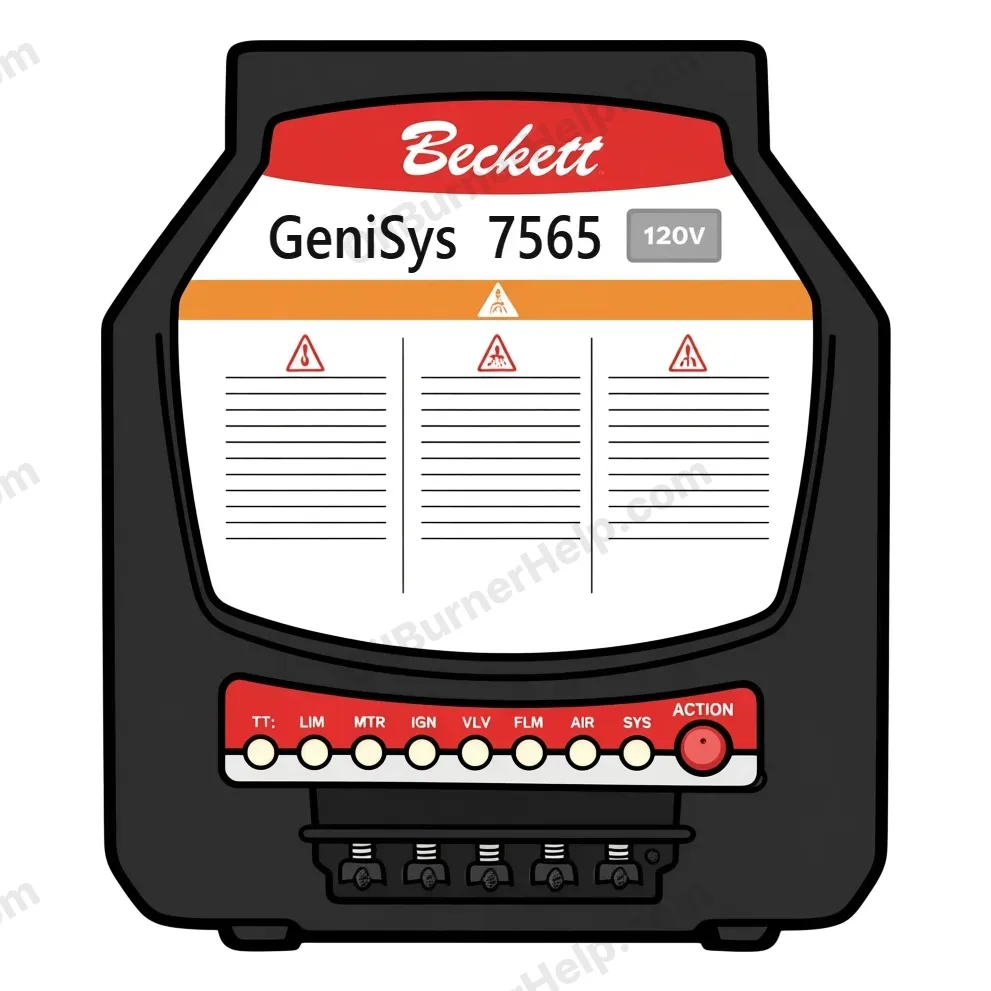
Eight named lights in a row (TT, LIM, MTR, IGN, VLV, FLM, AIR, SYS) and an ACTION button in place of a plain reset. Green is normal. Red is a fault. Yellow is a special state. SYS is the overall status light. The VLV and AIR lights only work when a valve or an air switch is installed.
| Indication | What it means |
|---|---|
| SYS green | Power on. |
| SYS yellow, steady | Pump prime mode. The motor, igniter and valve run for the prime window. Not a fault. |
| SYS yellow, flashing | Recycle. Flame was lost, or a pressure or spill switch opened while firing. The control waits about 60 seconds and tries again, up to three times. |
| SYS red, flashing | Soft lockout. Press the ACTION button once, about one second. If it locks out again, stop and call. |
| SYS red, steady | Hard (restricted) lockout. The control kept locking out, or failed its relay check, and stopped to keep unburned oil out of the chamber. A technician finds the cause first. The reset is a 15 second hold of the ACTION button. |
| FLM green | Flame present. |
| FLM red | No flame detected. |
| FLM yellow | Flame seen out of sequence, or a shorted cad cell. |
| AIR green | The installed air switches are closed. |
| AIR red | Blocked flue. |
| AIR yellow | Inlet air fault. |
| MTR, IGN or VLV red | A fault on that part: the motor, the igniter or the oil valve. |
| TT green | The thermostat is calling for heat. |
| LIM green | The limit circuit is closed. |
Source: R.W. Beckett GeniSys 7565/7585 manual, Form 62255-001 (beckettcorp.com).
Carlin Pro-X 70200 universal oil primary (LCD)
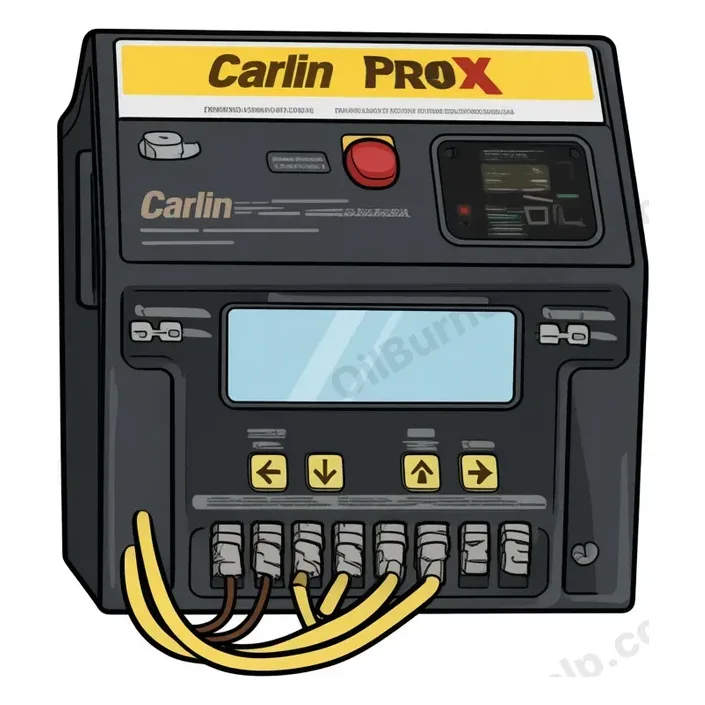
A small screen with status icons across the top: Power, T-T, Limit, Igniter, Motor, Valve and Flame, plus a Fault icon that flashes with the icon of the part that has a problem, and a BV icon when a vent switch is wired in. The screen shows the state in words and the live cad cell reading in ohms during a run. It keeps a history of the last 32 fault cycles with the cause and the cad ohms at each one. After a reset, a last fault message keeps showing for about five days.
| Indication | What it means |
|---|---|
| Burner Running + nnn Ohms | Normal run. The number is the live cad cell reading in ohms. Lower means a stronger flame. Press View Ohms during a run to see it. |
| No Flame, Check Vlv / Chk Ign / ck mtr | The trial for ignition ended without flame and the control locked out. The message names the part to check first: the valve, the igniter or the motor. Hold the red Reset button one second, once. If it locks out again, stop and call. |
| Lockout (fault icon flashing, message on screen) | Stopped on safety after a failed trial, or at once when flame was seen during pre-purge or lost during the trial. Hold the red Reset button one second, once. Cycling power will not reset it. |
| Recycle | Flame lost during the run. The burner shuts down for about 60 seconds and tries again, unless Allowed Recycles is set to None. Repeated recycles lead to lockout. |
| Latch-Up | Three lockouts in one call for heat. A technician finds the cause first, then holds the red Reset button 30 seconds. Cycling power will not clear it. |
| Pump Prime | Prime mode. Hold Reset about 10 seconds with the Limit icon on. The motor, valve and igniter run up to 2 minutes. It cannot be entered from lockout or latch-up, or with flame present. Not a fault. |
| 30 max smart ign | The smart ignition limit. The control recycled and ran in intermittent ignition mode three times in a row and locked out on the fourth. The flame is unstable. A technician has to find out why. |
Source: Carlin Pro-X 70200 manual (carlincombustion.com; ManualsLib) and Carlin U Residential Oil Training: LCD ohms readout, fault-history table, latch-up, last-fault retention.
Carlin 40200 / 42230 / 48245 (legacy cad-cell relays)
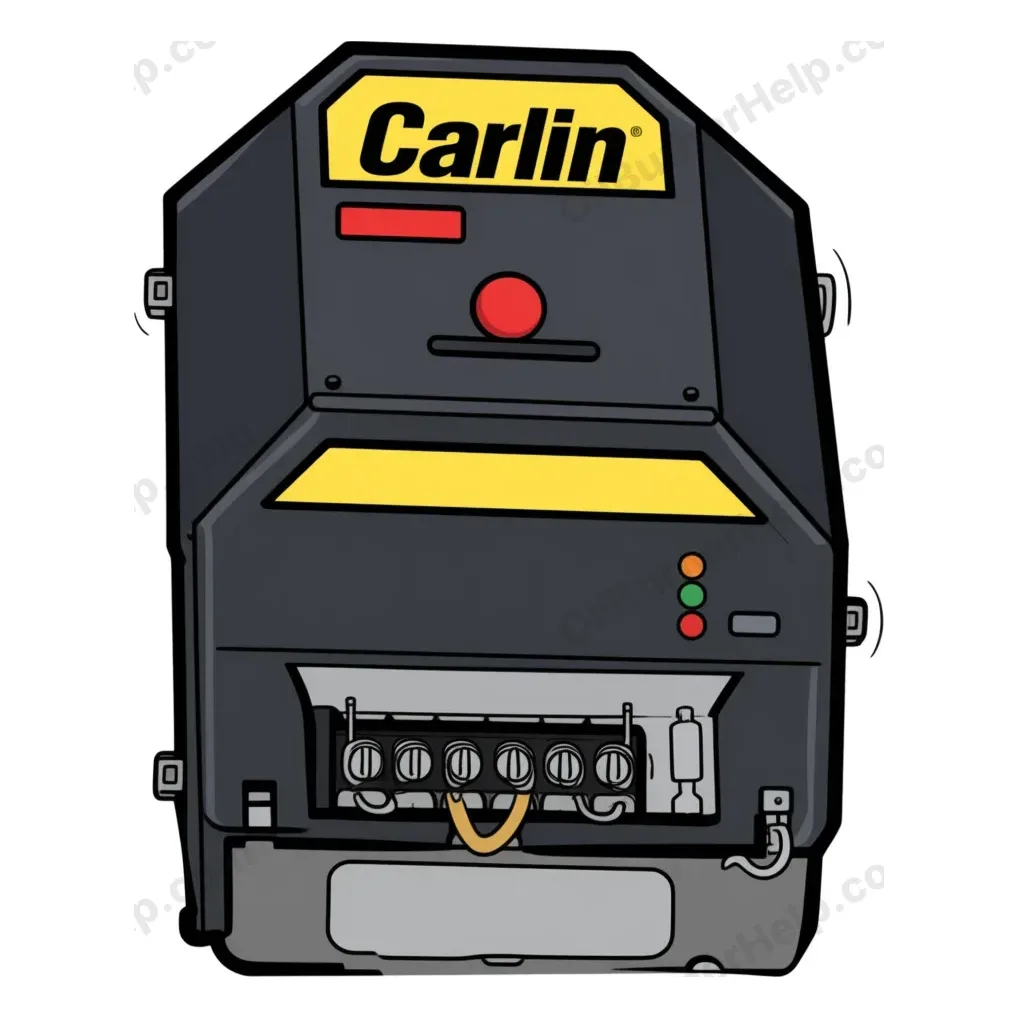
Three lights: amber for status, red for lockout, green for flame, and a latch-up after three lockouts in one call for heat. No screen. This covers the 40200, the 42230 and the 48245 with Smart Ignition. Older 48245 units have one red lockout light, a 45 second trial for ignition and no latch-up, so read the label on your control. Carlin sells the Pro-X 70200 as the replacement for these controls.
| Indication | What it means |
|---|---|
| Red LED on constant | Lockout. The cad cell did not see flame within the trial for ignition. The control also closes its alarm contact. Hold the reset button 2 seconds, once (older 48245 units: 3 seconds). If it locks out again, stop and call. |
| Amber and red LEDs on constant | Latch-up after three lockouts in one call for heat. A technician finds the cause first. The reset is a hold of the red button until the amber light blinks, about 10 seconds, then about 20 seconds more until the lights go out. Letting go early puts it back in latch-up. |
| Lockout or latch-up after a power cut | These controls keep a lockout or latch-up through a power loss. Killing the power does not clear them. That is by design. |
Source: Carlin U Residential Oil Training (wiring labels for the 40200, 42230 and 48245); Carlin 40200/42230 data sheet MN40200E (carlincombustion.com).
Replacement control: 6020002S Amazon ↗ Pro install Carlin sells the Pro-X 70200 as a universal replacement for these controls and for Beckett, Honeywell and ICM controls. Match the wiring and the timings of the control you have before any swap. Often with: nozzle, pump strainer (in the tune-up kit), cad cell
Riello 530SE/C integrated control (40 series)
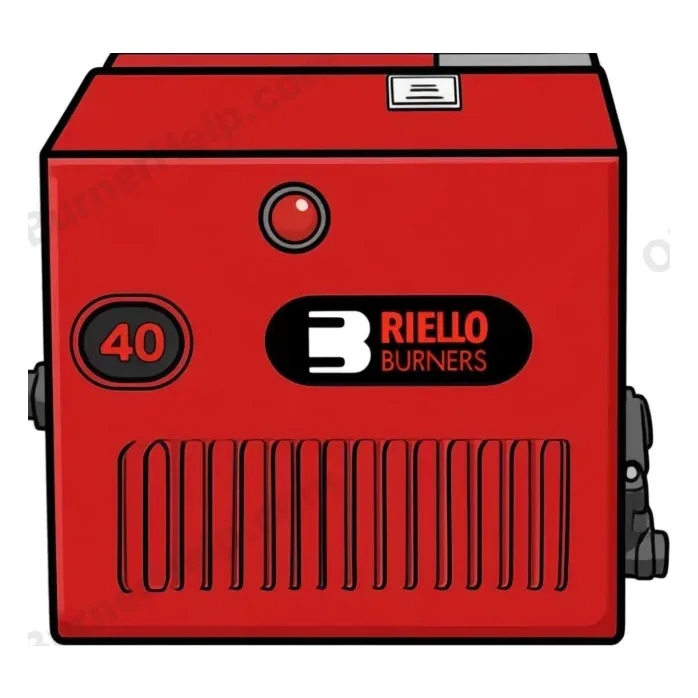
One reset button with a lock-out lamp behind it. The lamp comes on when the control locks out. There is no other light and no flash pattern. The control box holds the safety circuit and the ignition transformer in one module that plugs onto the burner sub-base. Flame is proven by a light sensor in the burner body: a cad cell on burners built before 2019 (part 3002280) and a photodiode from 2019 on (part 20132573). The 525SE/C 24VTT is the same control with thermostat terminals added. It turns up most often on a warm air furnace, and with its jumper left in place it replaces a 530SE/C.
| Indication | What it means |
|---|---|
| Lock-out lamp ON | Safety lock-out. The sensor did not prove flame within about 5 seconds after the 12 second pre-purge. A short or open circuit in the electrodes also locks it out, after about 30 seconds with no oil spray. Press the reset button once. If it locks out again, stop and call. |
| Burner starts, lamp off, then drops out and retries | Flame was lost during the run. The valve closes at once, the motor runs about 10 more seconds, then the control tries to light again. Repeated recycles end in lock-out. Find the cause. |
| Burner stays in pre-purge and never lights | The sensor is seeing light during pre-purge, the sub-base is mis-wired, or the valve coil has an open winding. The control will not go to ignition until the sensor reads dark. |
| Reset once, no restart, sensor suspect | Check the sensor. A cad cell (before 2019) reads under 40,000 ohms in light and over 150,000 ohms in the dark. A glazed or unplugged cell reads wrong and blocks flame proving. A photodiode (2019 on) reads open on an ohm meter and cannot be tested that way. |
Source: Riello 40 Series Service Guide 2024 (sequence of operation 4.3-4.5 and troubleshooting chart) and Riello mectron 3M owner manual.
Honeywell / Resideo R7284A / R7284B / R7284U (LCD oil primary)
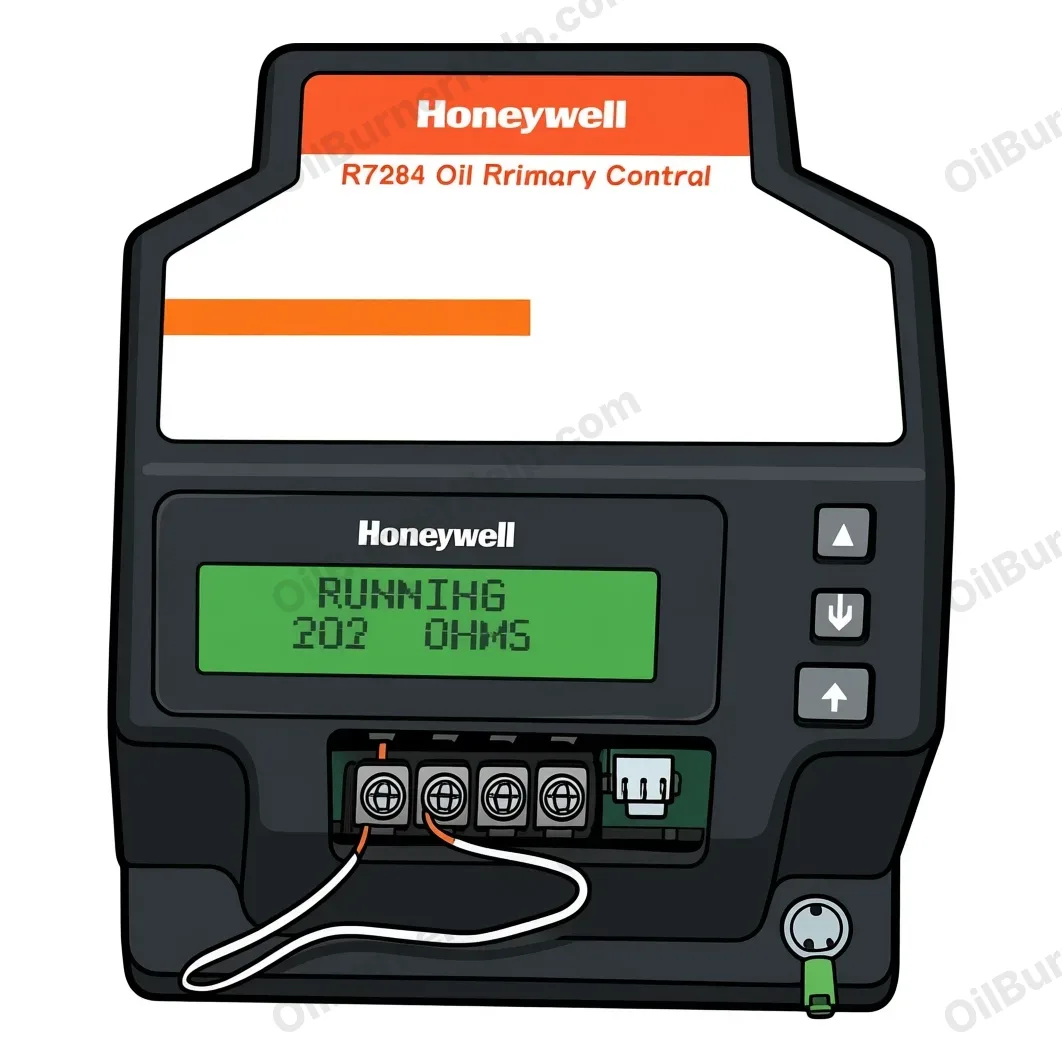
An LCD that shows plain-language status and faults (for example 'NO IGNITION CHECK IGNITER') plus an error history you scroll. Hold the reset about 2 seconds to force a reset. Common on newer installs across brands (often replaces an R7184).
| Indication | What it means |
|---|---|
| NO IGNITION / CHECK IGNITER | Trial for ignition ended without proven flame; the screen names the likely area to check. After confirming the cause, reset per the on-screen instruction (hold about 2 s). |
| Error-history entries (scroll with the arrows) | A stored log of prior faults so a tech can see what happened before a homeowner reset. Diagnostic, not a live fault. |
| PUMP PRIME (advanced interface) | Manufacturer prime routine entered with the up-arrow during the trial for ignition; adds up to 10 minutes to the trial for bleeding. Not a fault. |
Source: Honeywell/Resideo R7284 documentation.
Replacement control: R7284U1004 Amazon ↗ Pro install Often with: nozzle, pump strainer (in the tune-up kit), cad cell
Energy Kinetics System 2000 Energy Manager (E-codes)
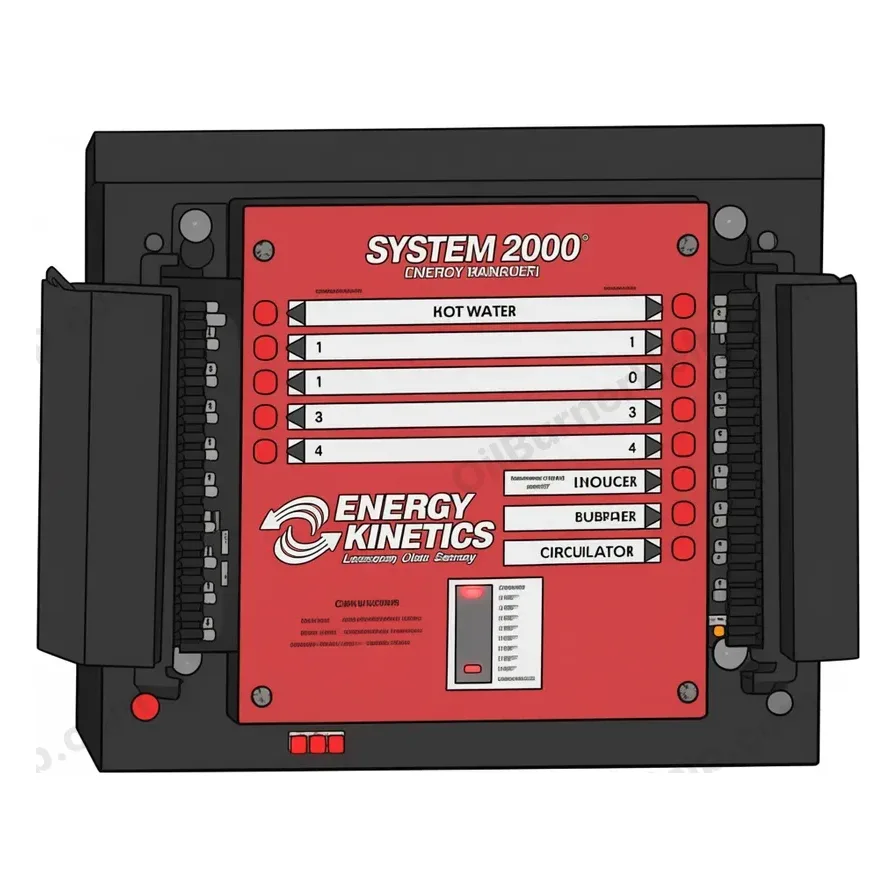
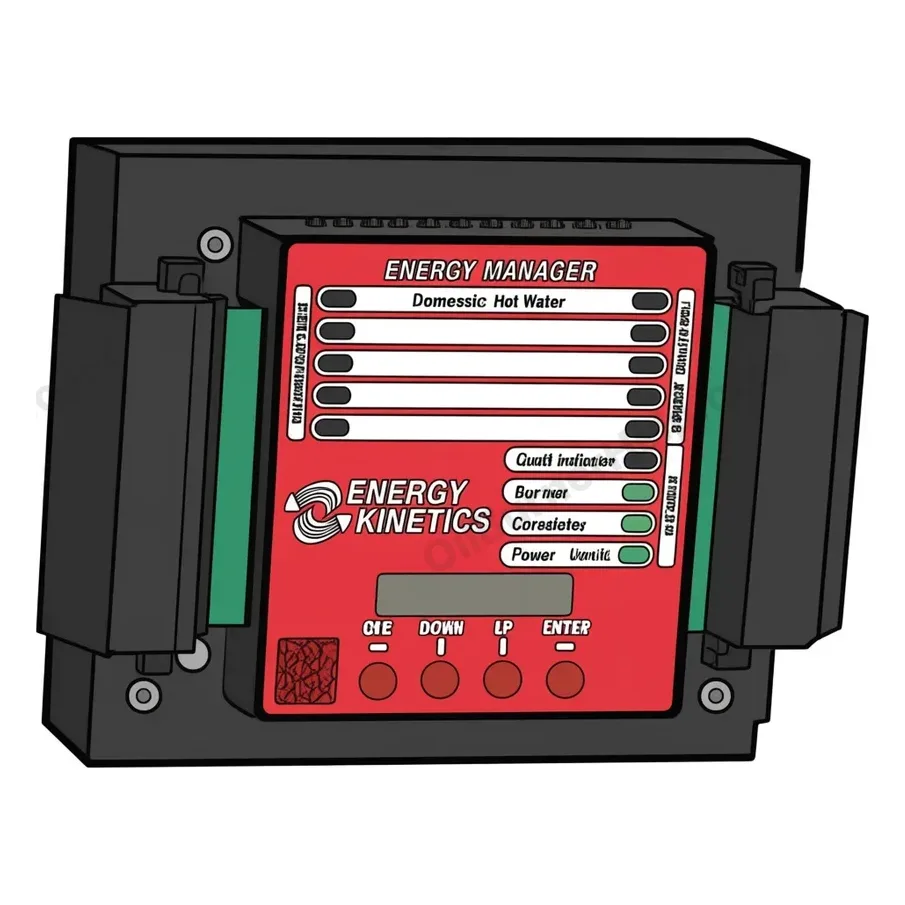
The Energy Manager watches the boiler return temperature during a call for heat. Most of what it reports is a heat flow, sensor or burner problem, not a fault in the manager. Which manager you have decides what you see. The Display Manager has a screen and shows an E-code: E100, E130, E140, E150 or E190. The older Digital Manager has no E-codes. It flashes one of its temperature lights (100, 120, 130 or 140) and turns on the monitor light after about twenty minutes. On a Digital Manager a flashing 100 light means the sensor is not working. A flashing 140 light usually means the burner has locked out.
| Indication | What it means |
|---|---|
| E100 | The return temperature sensor is not working. The manager drops into service board mode. The circulator runs all the time and the burner runs off the high limit. If the sensor is still missing after ten minutes the code changes to E190. Have a technician check the sensor leads and connectors, then replace the sensor if the wiring is good. Never put voltage on a sensor lead. It burns out the sensor and the manager in under a second. |
| E130 | Too much heat in the boiler. The zones could not pull it out. Check the zone valves, the heat exchanger and circulation. The high limit may also have failed. Technician job. |
| E140 | Freeze protection mode. The return temperature did not rise enough to open the zones within 27 minutes. The manager turns its burner output off, keeps the circulator running and opens the heating zones. On a Digital Manager the same condition is the flashing 140 light. It usually means the burner has locked out on its own primary control. Look at the burner control. If its red light is on steady, press and hold its reset for one second, once. Then reset the manager by turning the system switch off and on, or E140 stays. If the burner locks out again, stop and call. When the burner is not locked out, the causes are a zone valve stuck open, a failed main circulator or a blocked bypass. E140 is not the sensor code. That is E100. |
| E150 | The return did not reach 100 F within seven minutes. The manager pulses the calling zone a minute on and a minute off and runs in Classic mode. If the return warms up within 20 minutes it keeps heating and keeps showing E150. If not, it changes to E140. The cause is on the boiler side: a zone valve that is not holding, a blocked bypass or a weak circulator. Technician job. |
| E190 | Classic mode. After ten minutes of E100 the manager runs like the original Classic manager: cold start, burner only during a call for heat, a two minute preheat before a zone opens, and a timed post purge. It still heats. Have a technician check the sensor wiring and replace the sensor if the wiring is good. |
Source: Energy Kinetics System 2000 Owners & Installation Manual p.29 (ManualsLib 2398559); EK-1 Manual p.28; Energy Kinetics '140-flash' troubleshooting guide (energykinetics.com)
Codes in context: the Energy Kinetics System 2000 owner's guide covers the flashing 140 light, which reset to press, and the common problems.
Energy Kinetics System 2000 puff switch (draft safeguard)
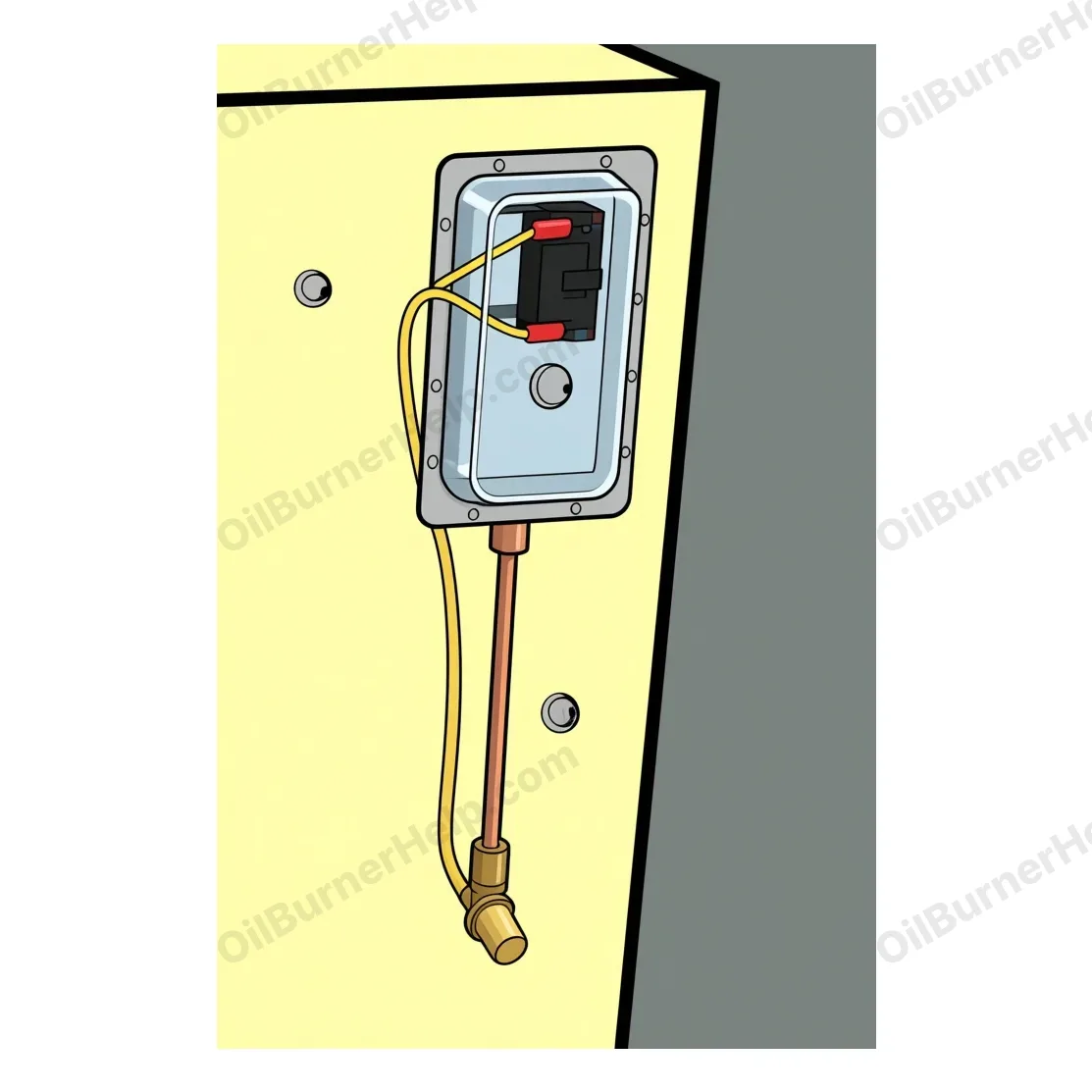
A pressure switch on the boiler front that senses the fire side. It opens when the pressure inside the boiler goes positive.
| Indication | What it means |
|---|---|
| Puff switch tripped (burner cuts out or recycles) | The pressure inside the boiler went positive, usually from a blocked vent or a failed sidewall inducer. The switch opens the cad cell wire, so the burner control sees no flame and locks out. A Carlin control recycles first, then locks out. On a Display Manager this shows as E140. Do not bypass the switch and do not keep resetting the burner. Call a technician to clear the vent or fix the inducer and to check the burner settings. If it trips again after service, stop and call. |
Source: Energy Kinetics installer guidance; heatinghelp.com discussions 203931, 179970, 183047
Codes in context: the Energy Kinetics System 2000 owner's guide covers the flashing 140 light, which reset to press, and the common problems.
Beckett AquaSmart 7600
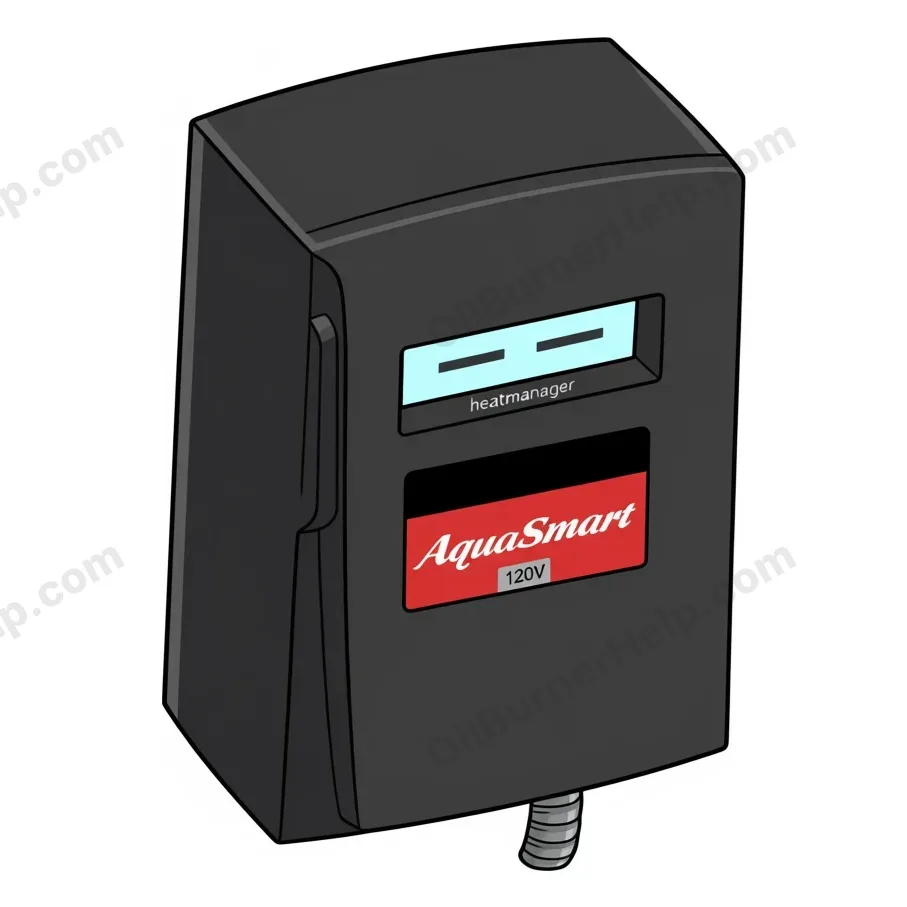
A two line text display in the lid and a red keypad under the door. There is no light to count. The top line names the boiler mode and the bottom line shows the water temperature. On a lockout the top line reads LOCKOUT and the bottom line names the reason.
| Indication | What it means |
|---|---|
| STANDBY over WTR and a temperature | Normal. Nothing is calling for heat. The burner and the circulator are off. |
| CIRCULATING | Normal. The circulator is running and the burner is off. It also shows during the circulator delay after a call ends. |
| HEATING WTR | Normal. The burner is firing on a heat call, or to hold the low limit on a boiler with a tankless coil. |
| HEATING DHW | Normal. The burner is firing on a priority call for domestic hot water. |
| ECONOMIZING with HIGH LIMIT and a lower number, trading places with STANDBY every five seconds | Normal. The HeatManager feature has lowered the high limit for now to save fuel. The number is the adjusted limit, not a fault. If rooms run cool in very cold weather, a technician can turn the efficiency setting down. |
| FREEZE RES | Freeze resistance. The control runs the circulator and the zone output after the burner has run for a full hour, or after an hour in lockout, to keep water moving. Look for a LOCKOUT screen as well. If the house is not warming, call a technician. |
| LOCKOUT over SENSOR ERROR | The water temperature sensor has failed or lost its connection. The burner, the circulator and the zone output are held off. The control will not stay reset until it sees a working sensor, so the sensor or its plug usually needs a technician. Reset once by holding ENTER for about five seconds. If it locks out again, stop and call. |
| LOCKOUT over SELF-CHECK | The control failed one of its own safety checks, such as the check on the burner relay contacts. Reset once by holding ENTER for about five seconds. If it comes back, the control gets replaced. Stop and call. |
| LOCKOUT over LOW WATER | Only on a boiler with the 2-in-1 low water sensor. The sensor does not see water, so the burner is held off. It clears itself once water is back and the delay runs out, unless the installer set it to manual reset. A sensor ground wire that is not bonded to the boiler can show the same thing. Reset once, by holding ENTER for about five seconds, only after the water level is back. If it locks out again, stop and call. |
| LOCKOUT over CANCEL | Someone is holding the CANCEL key, which pauses the control after five seconds. It resumes the moment the key is released. Not a fault. If it stays on this screen with nothing pressing the key, stop and call. |
| History screen: START then LL, TT or ZR, and END then CFH, HL, LL, SENSOR ERR, SELF-CHECK or CANCEL | A readout, not a fault. Each stored burner cycle shows why it started (low limit, thermostat or zone relay) and why it stopped (call satisfied, high limit, low limit or a lockout reason). A technician reads it to spot a pattern. |
Source: R.W. Beckett Corp., AquaSmart Boiler Control Manual, Model 7600, Form No. 61738 Rev. 10 (12/12), pages 28, 29, 31 and 33 (beckettcorp.com)
Replacement control: 7600A Search Amazon ↗ Pro install 7600A is the oil burner version (120 V) and 7600B the gas version (24 V). The 2-in-1 low water sensor is a separate part. Often with: nozzle, pump strainer (in the tune-up kit), cad cell
Hydrolevel Fuel Smart HydroStat 3250-Plus / 3200-Plus
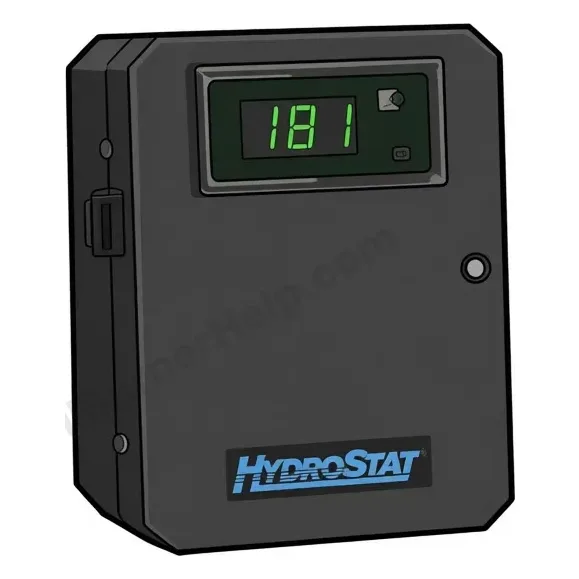
Six small lights along the top edge, in pairs under TEMP, LWCO and ECONOMY, a round TEST/SETTINGS button beside them, and a three digit number on the front that normally shows the water temperature. A fault shows as one light on or blinking, or as letters in the display.
| Indication | What it means |
|---|---|
| Number in the display, TEMP ACTIVE light on (green) | Normal. The number is the boiler water temperature. The green ACTIVE light under TEMP is on whenever the control has power. A small c after the number means Celsius. |
| HI TEMP light on (yellow) | Normal. The water reached the high limit, so the burner waits until it cools about 10 degrees. The circulator keeps running while the thermostat calls. |
| ECONOMY ACTIVE light on | Normal. The fuel saving feature is on because the ECONOMY dial is not at OFF. |
| TARGET light on (yellow) | Normal, and it lights often. The water reached the lower target the control worked out for the current demand, so the burner waits while the circulator runs. If the house cannot keep up in cold weather, a technician can turn the ECONOMY dial to a lower number. |
| LWCO ACTIVE light on | Normal on a boiler with a Hydrolevel Electro-Well. It stays on to show the low water cut-off is working. |
| LWCO ACTIVE light off with power on | The control is on a plain immersion well, which gives no low water protection, or the Electro-Well lacks the clearance it needs inside the boiler. Not urgent by itself. Ask a technician which well you have. |
| LOW WATER light on steady (red) | The control does not sense water at the well, so the burner is held off. Never add water to a hot boiler. Let it cool first. On a plain well this can be a false reading from a dirty well tube. The burner comes back on its own once water is sensed. If it keeps happening, stop and call. |
| LOW WATER light blinking (red) | Low water lockout. The installer set the cut-off to manual reset and low water lasted 30 seconds or more. Let the boiler cool and have the water level checked first. Then press the TEST/SETTINGS button once, briefly. If it locks out again, stop and call. |
| All six lights and the display blinking in turn | Overheat lockout. The control sensed boiler water at 250°F, pulsed the burner relay and shut the burner down. A welded burner relay contact or a sensor not pushed fully into the well can cause it. There is no simple reset. Turn the burner off at its service switch, do not add water, and call a technician. |
| All lights off, display dark | No power at the control. Check the burner service switch and the breaker. If power is on and it still shows nothing, the control has failed. Call a technician. |
| Pur in the display | Normal. Thermal pre-purge is using heat already in the boiler to answer a heat call before firing. The burner starts when the stored heat is not enough. |
| Pro in the display | Program mode. The low limit dial is sitting just above OFF, the setup position, so the display shows feature numbers instead of temperature. A technician finishes the setup and puts both dials back to temperatures. |
| Snr in the display | The control cannot read its temperature sensor. The plug may be loose or the sensor has failed. Call a technician. |
| 8 or 888 stuck in the display | The processor inside the control has stopped. The control has to be replaced. Call a technician. |
| LCO in the display, red light on, burner stops | Low water cut-off test. Someone is holding the TEST/SETTINGS button for five seconds. The red light and the burner stopping are the pass result. It returns to normal on its own. |
| HL, LL, ECO or a number after short presses of the button | Settings readout, not a fault. Each short press steps through the high limit, the low limit, the economy setting and the current target. The display returns to water temperature after five seconds. |
| Display flickering, or the control keeps restarting | A grounding problem at the ground screw of the control. A technician corrects the ground wiring. |
| DAMPER POWER light on, burner not firing (3200-Plus) | The control is powering the vent damper and burner circuit, but the burner is not starting. The damper plug or its end switch is the usual reason. The damper is a carbon monoxide safety, so do not bypass anything. Call a technician. |
Source: Hydrolevel Company, Fuel Smart HydroStat Model 3250-Plus Installation Instructions and Operating Manual, form 3259P-082625 (Aug 2025), pages 7 to 14 and 16; Model 3200-Plus Installation Instructions and Operating Manual (11/2019), pages 6, 8, 9 and 11 to 14 (hydrolevel.com)
Replacement control: 3250-Plus Search Amazon ↗ Pro install 3250-Plus is for a 120 V burner circuit and 3200-Plus for 24 V. Low water cut-off only works on a Hydrolevel Electro-Well. Often with: nozzle, pump strainer (in the tune-up kit), cad cell
Buderus Logamatic 2107 / R2107
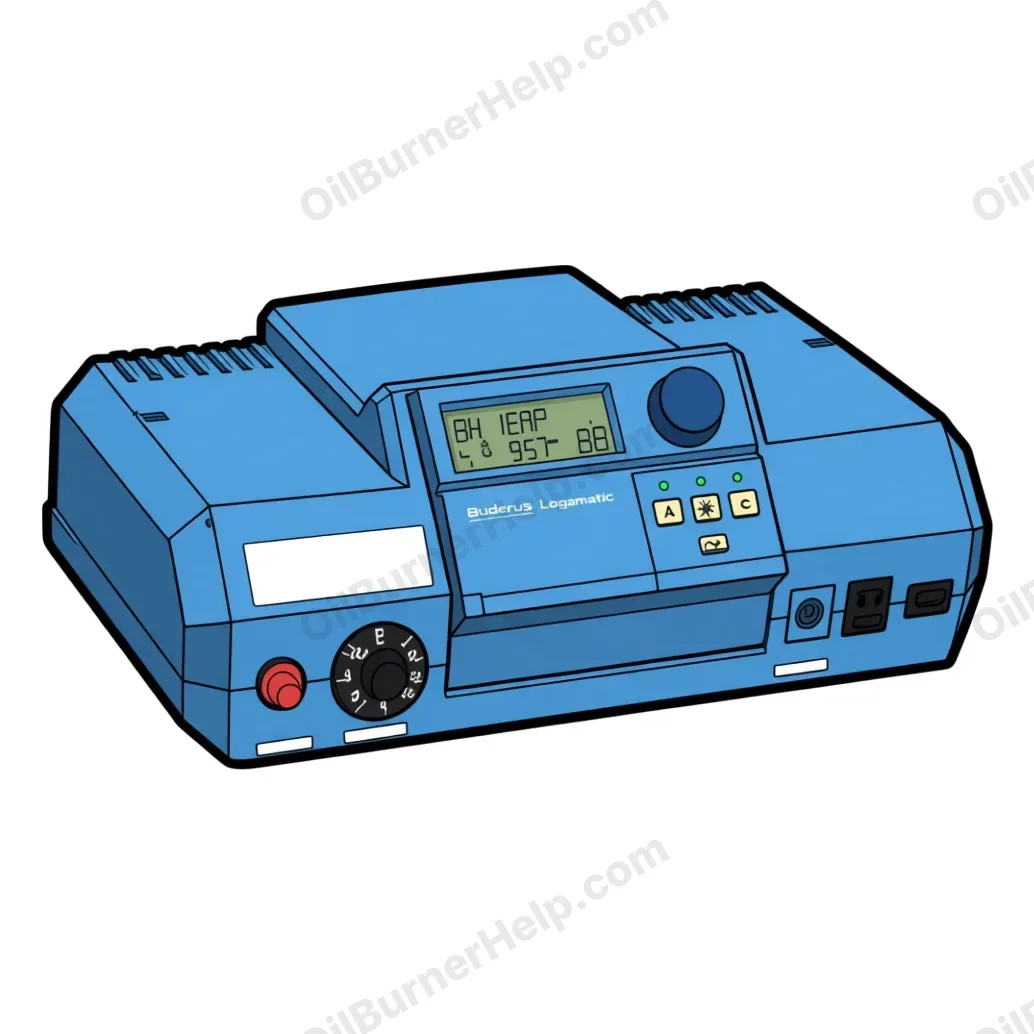
A small text display in the raised center panel above the keys. In normal running the top line shows AUTOMATIC, with the day, the time and the set room temperature below, and small symbols along the bottom for the burner flame, the pumps and summer mode. A fault replaces the top line with a message ending in ERR. Only one fault shows at a time, in a fixed priority, so a second fault can hide behind the first.
| Indication | What it means |
|---|---|
| AUTOMATIC on the top line, with the day, the time and a room temperature | Normal. The control is following its heating program. The green light over AUT is on, and the light over the sun or the moon shows day or night mode. |
| Green light over the sun key only | Manual day mode. Someone pressed the sun key, so the control holds the daytime room temperature around the clock and ignores the program. Press AUT to go back. Not a fault. |
| Green light over the moon key only | Manual night mode. The control holds the setback temperature around the clock, and with the factory setting it also stops heating the hot water tank. Press AUT to go back. Not a fault. |
| Umbrella symbol, or SUMMER, on the display | Warm weather shutdown. The outdoor sensor says it is warm enough outside, so space heating is off while hot water keeps running. The factory changeover point is 63°F, adjusted for how well the house holds heat, so it can lag the weather by a day. The sun key gives heat at short notice. Not a fault. |
| Flame symbol at the bottom of the display | Normal. The burner is firing. |
| Tank pump symbol flashing | Normal. The control is charging the domestic hot water tank. Space heating pauses while the tank heats, then comes back. |
| Day and time flashing | The clock lost its memory in a power outage longer than about five to eight hours. Programs and settings are kept. If the day and time shown are right, press the Time key behind the flap once. If not, set them again. Not a fault. |
| BRNR TEST with the boiler water temperature | Flue gas test mode. It starts when the chimney sweep key is held for one second, and the boiler runs up to test temperature with the pumps off. It ends by itself after 30 minutes, or early with another one second press. Tap water can run hotter than usual during the test. Not a fault. |
| BURNER ERR | The burner has locked out on its own primary control and the boiler is only reporting it. The fix is at the burner, not at this control. Press the reset on the burner primary once. If it locks out again, stop and call. |
| HEATING ERR | The boiler is not making heat. The boiler thermostat dial on the left may be set too low, the manual reset high limit under the round black cap may have tripped, the tank may be out of oil, or a sensor may be out of place. Check that the dial points to AUT and that there is oil. A tripped high limit means the boiler overheated once, and a technician finds out why before it is reset. Stop and call. |
| DHW PROD ERR | The control tried to heat the hot water tank for 30 minutes and saw no rise, so it gave up on hot water and went back to space heating to keep the house from freezing. A dead tank pump, a stuck flow check, air in the piping or a closed valve are the usual causes. Switch the control off and on once at its I and O switch so it tries again. If it comes back, stop and call. |
| BLR SENSR ERR | The boiler water sensor has failed or its plug is loose. The boiler keeps running at its top temperature as a fallback, so rooms may run warm and hot water hotter than usual. Call a technician to replace the sensor. |
| OA SENSOR ERR | The outdoor sensor has failed or its wire is broken. The control assumes it is 14°F outside, so heat keeps coming but the boiler runs hotter than it needs to and burns more oil. Call a technician to replace the sensor. |
| DHW SENSR ERR | The hot water tank sensor has failed. No domestic hot water is made while this shows, on purpose, because the control cannot see the tank temperature. Call a technician to replace the sensor. |
| MIX SENSR ERR | The supply sensor for a mixing zone has failed, so the mixing valve is no longer controlled. The main boiler keeps heating. Call a technician. |
| SL SENSOR ERR or DHW SLR ERR | A solar collector or solar tank sensor has failed, and the solar pump is switched off. The main boiler keeps heating. Call a technician. |
| REMOTE 1 ERR or REMOTE 2 ERR | The control lost contact with a room remote, or the remote has the wrong address setting. Heat continues on the built in settings without room influence. Call a technician to check the wiring and the address. |
| FM 241 ERR | The mixing zone card no longer answers, so whatever it ran has stopped. Call a technician to reseat or replace the module. |
| FM 242 ERR | The two stage burner card no longer answers. Call a technician to reseat or replace the module. |
| FM 244 ERR | The solar card no longer answers, so the solar function has stopped. Call a technician to reseat or replace the module. |
Source: Bosch Thermotechnology Corp., Logamatic 2107 Operating Instructions, document 6 720 618 081 (08/2008 US/CA), pages 16, 18, 21, 23, 35, 36, 39, 56, 57 and 61; Logamatic 2107 Installation and Service Instructions, document 6 720 618 142 (07/2014 US/CA), pages 11, 15, 60, 61, 62 and 66; R2107 spare parts list 6720646172 (12/2010), page 9 (bosch-homecomfort.com)
Replacement control: R2107 Search Amazon ↗ Pro install Bosch ordering number 8 718 573 874. Bosch lists the 2107 as discontinued. Often with: nozzle, pump strainer (in the tune-up kit), cad cell
Oil primary controls report what they are doing with lights or a small display, and the patterns differ by model. This is the documented set for the common controls, taken from the manufacturers' own manuals. The boiler controls that sit beside the burner, the aquastats and the Buderus Logamatic, are here too. Bleeding a pump through the control is on its own page: pump prime mode by control.
Before you reset on any of these
- Confirm any code against the manual for your exact control. Flash patterns, timings and reset steps vary by model and revision.
- A second lockout, a hard or restricted lockout, or a latch-up is the control protecting you. Make sure the appliance is free of oil and oil vapor and have the cause found before any reset.
- Never bypass, jumper, or fool a primary control, cad cell, or limit to clear a code. Explaining what a control reports is fine; defeating a safety is the line this site does not cross.
- On a Riello the flame sensor sits inside the burner body. Burners built before 2019 use a cad cell (part 3002280), tested by resistance: under 40,000 ohms in light, over 150,000 in the dark. Burners from 2019 on use a photodiode (part 20132573) that cannot be tested with an ohm meter. The pump runs at 120 to 200 psi, well above the 100 psi nozzles are rated at. Do not set a Riello to 100 psi to match other brands.
- Carlin calls a repeat lockout a latch-up. It is the same idea as a hard or restricted lockout on other brands: a lock after three lockouts in one call for heat. Find the cause instead of resetting again.
- Wayne burners carry a Honeywell primary control. Wayne lists the R7284G for the MSR, and older burners may carry another Honeywell primary. A Wayne error code is really the code of the control on the burner. Read it off that control's row above.
A lit reset is covered in the reset button guide (press once, never stack attempts). A control that never starts a cycle at all (no lights, no motor hum) points upstream of the control: work the oil furnace not turning on checklist first. A burner that fires then shuts off is usually a flame-proving fault, and the parts by symptom page shows the cad cell, primary control, and the rest.
A lockout right after a delivery or a run-out is usually air in the line: see ran out of heating oil and how the line is bled. Bleeding the line and changing the fuel oil filter is quick work, and a one-pipe system that locks out after every run-out is a de-aerator job. Smoke, soot, or an oil smell at any point is a stop-and-call case: see oil furnace smells. Wayne residential burners carry a generic Honeywell/Resideo R7184 or R8184 class primary: decode it above, then see the Wayne burner page for specs.
https://oilburnerhelp.com/troubleshooting/error-codes/